Adhesive Log
The Adhesive Log tracks which adhesive bottle each stylist has checked out, when it's returned, and any quality-control notes — plus a bottle inventory you define so a missing bottle ID can be traced back to a type. The screenshots here are from a Lash Lounge salon, so they show the adhesive wording.
Bishops shops see this page as the Color Log, tracking numbered colour tubes: Color Inventory, + Add Tube, Tube number, and a Color column where this page says Adhesive type (for example, 7N or 6RR). Everything below works the same — only the words change.
Frenchies studios don't use this tool, so the tab doesn't appear.
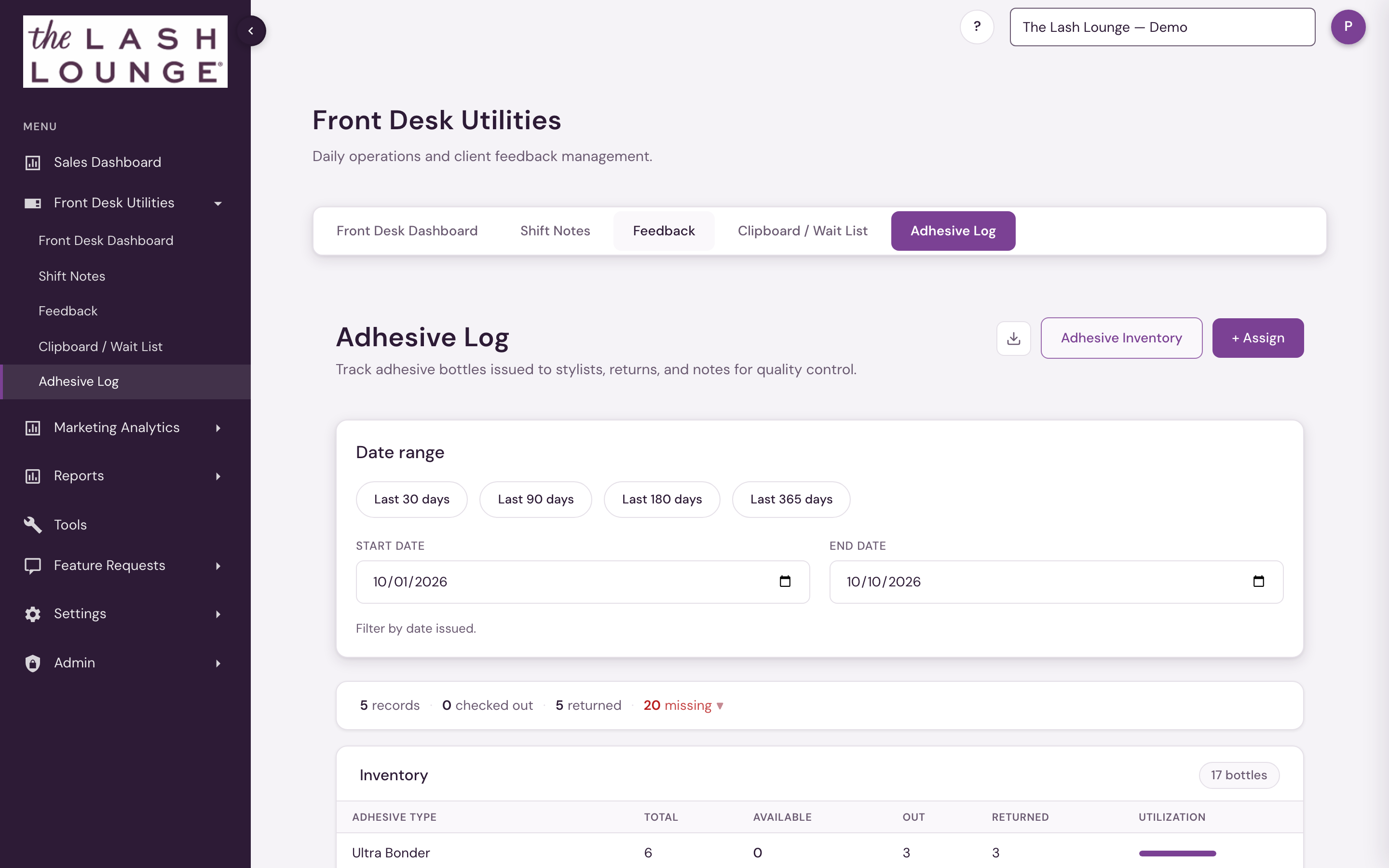 1234
Header actions
The download icon exports the log to CSV (id, brand, date issued, stylist, adhesive type, issued by, date returned, comments). Adhesive Inventory opens a side drawer for defining your salon's bottles ahead of time. + Assign opens the form to check out a bottle, pre-filled with the next available bottle number.
Date range filters
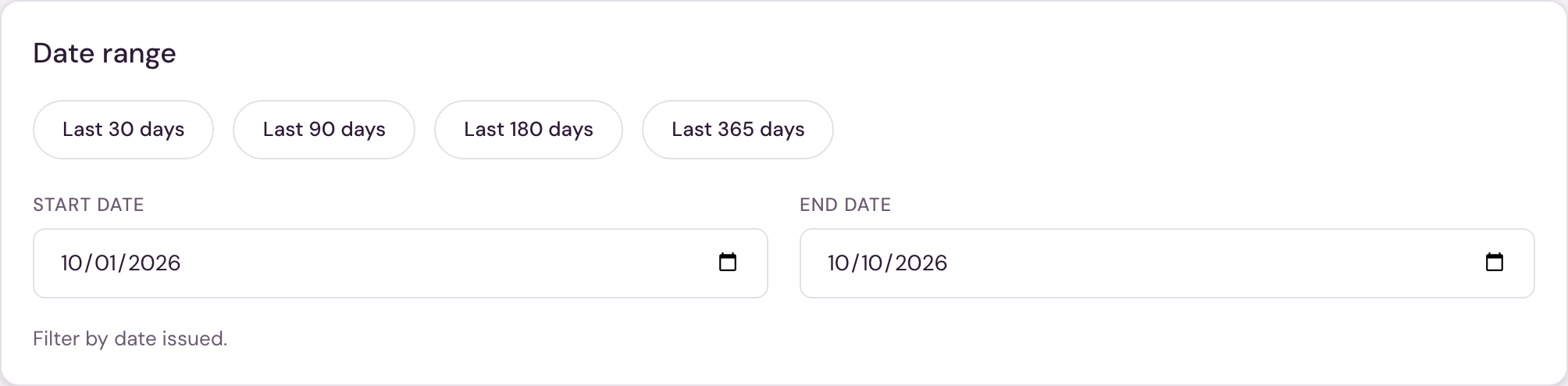
Date presets — Last 30 days, Last 90 days, Last 180 days, Last 365 days — set the Start date/End date for you, or set them directly. Filtering is by date issued.
Activity bar & missing IDs
A summary row shows records, checked out, returned, and missing counts for the filtered range. Clicking missing expands a panel listing each missing bottle ID and its adhesive type (or "Unknown type") with the note: "These IDs have no stylist, date, or issuer info. This may indicate shrinkage, theft, or bottles that were issued but never logged."
Inventory snapshot
A mini-table of your defined bottle types shows Total, Available, Out, Returned, and a Utilization bar per type, with a bottle-count badge (for example, "10 bottles") above it.
The log table & assigning a bottle
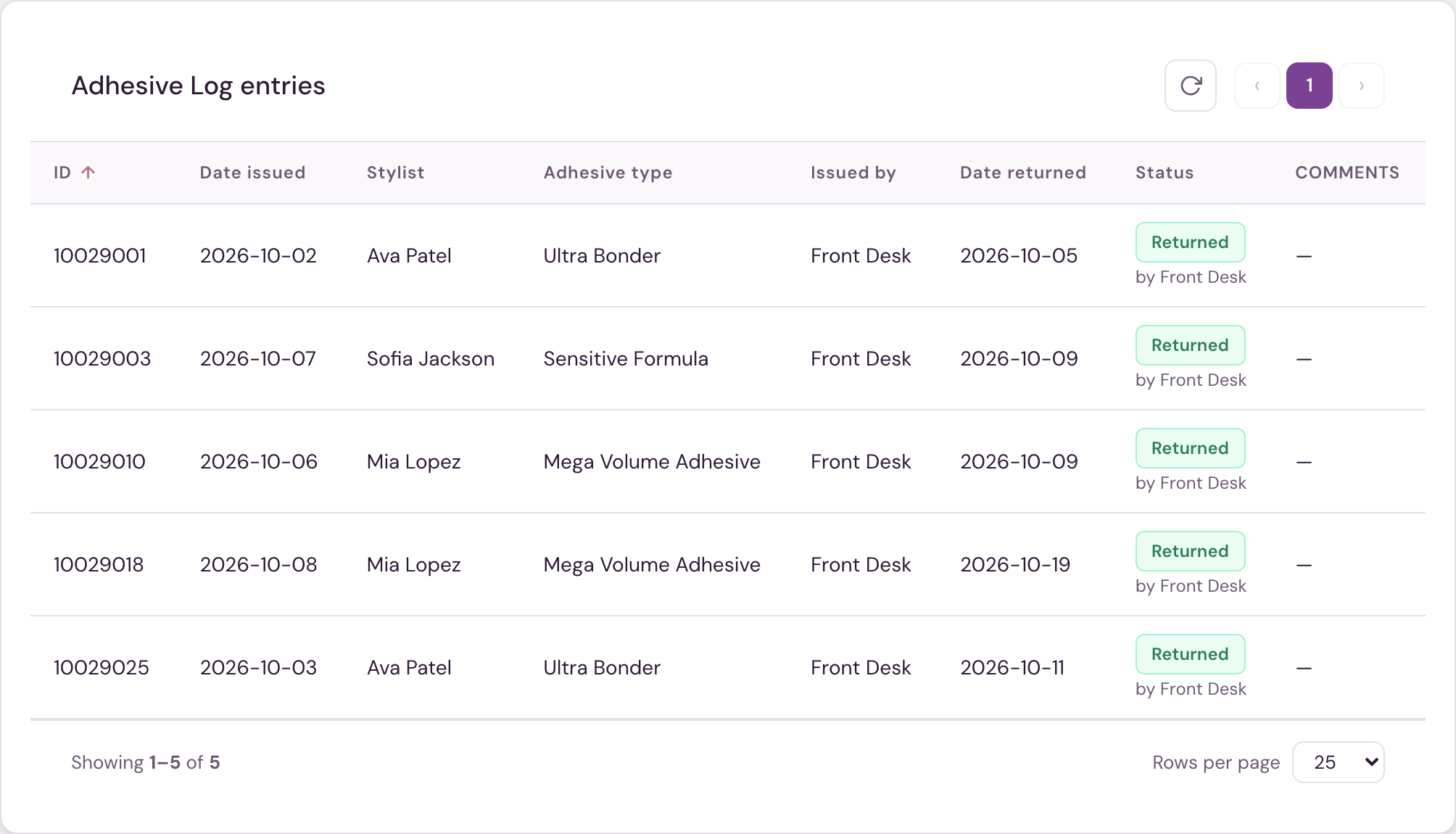
Each row shows ID, Date issued, Stylist, Adhesive type, Issued by, Date returned, Status, and Comments. Status is Out, Returned (shown with who returned it), or Inventory (a bottle that's been defined but not yet checked out). Click any column header to sort; click a row to edit it, and from there Mark Returned or Re-checkout depending on its current status, or Delete.
The + Assign form captures ID, Date issued, Stylist, Adhesive type (autocompleted from your known types), Issued by, Date returned, and Comments.
In the Adhesive Inventory drawer, + Add Bottle lets you define bottles ahead of time — a single ID or a Start #/End # range (up to 50 at once), with the adhesive type auto-suggested from the nearest lower bottle number. Existing bottles caught in a range you're re-adding are flagged as conflicts for you to approve before they're overwritten. From the drawer you can also edit or remove individual bottles and see which are still unassigned.
The Adhesive Log — the Color Log at Bishops — appears for staff with Front desk access (corporate and admin users have it automatically), at Lash Lounge salons and Bishops shops. Frenchies studios don't have it.