Feature Requests
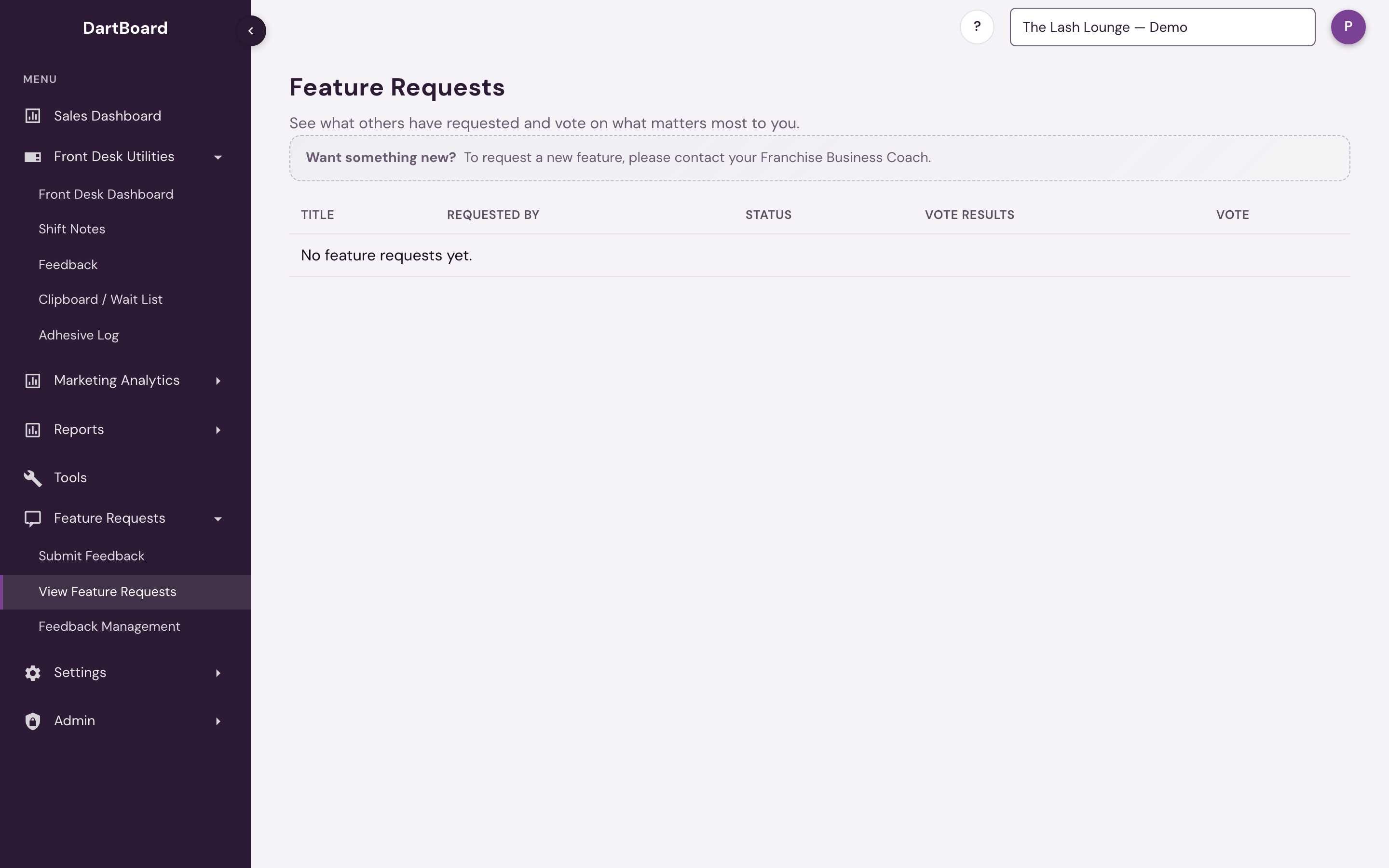
Feature Requests is where you see what others have asked for and vote on what matters most to you. It sits in the sidebar with three sub-pages: Submit Feedback, View Feature Requests, and Feedback Management.
 12
Viewing and voting
View Feature Requests lists every submission filed as a Feature Request, showing its title, who requested it, its status, and a vote tally (e.g. "3 (67% up / 33% down)"). Hover the vote tally to see exactly who voted which way. Click a row to open it and read its full description.
Use the thumbs-up/thumbs-down buttons to vote — clicking the same one again clears your vote. Click a request's row to open the full description in a panel, where you can also vote.
Submitting feedback
Submit Feedback is a general feedback form, not limited to feature requests — you can also file a bug report, an improvement, or other feedback. It asks for:
- Feedback Type — Bug Report, Feature Request, Improvement, or Other.
- Priority — Low, Medium, High, or Critical.
- Category — General, Dashboard, Users, Reporting, Front Desk, Settings, Mobile, or Performance.
- Title and Description (both required).
If you have access to more than one brand, a Route feedback to brand selector picks which brand the submission is filed under.
Have an idea of your own? Tell your Franchise Business Coach — that's the note you'll see on the View Feature Requests page. Your FBC or the corporate team files it through Submit Feedback, and it shows up on the list for everyone to vote on.
After you submit
Once submitted, feedback starts at status New. From there, the platform team can move it through In Progress, Resolved, Closed, or Rejected in Feedback Management — those status changes are what you see reflected back on the View Feature Requests list.
View Feature Requests is available to salon admins (the Salon Admin permission) and to corporate/platform-admin users. Submit Feedback is available to corporate/platform-admin users. Feedback Management is available to platform admins only.