Corporate Reports
Corporate Reports is one of the areas under Reports in the sidebar (alongside Draft Reports and Salon Reports). It's the cross-location report library for corporate and admin users.
The page is organized into sections you pick from a list on the left, so you see one section at a time instead of scrolling one long catalogue: Favorites, Finance, Marketing, General, and Beta. Each report still opens the same way it always has — a date range, filters, a Run Report button, and CSV export. Nothing about running a report has changed, only how you get to it.
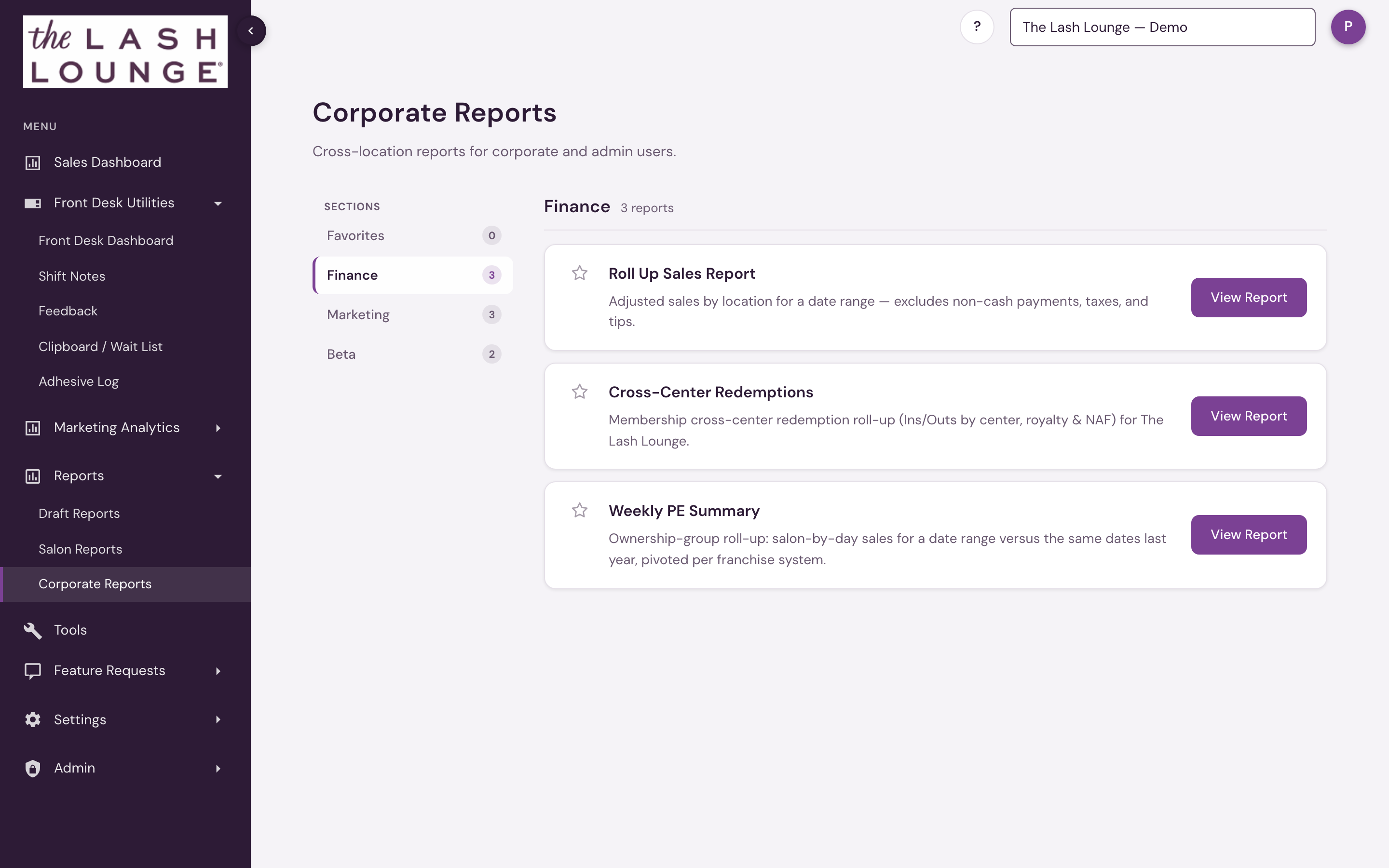
The section you're viewing is part of the page address, so you can bookmark a section or share a direct link to it with your team.
You'll only see sections that apply to you
Which sections show up depends on the franchise systems and reports you have access to. A section with nothing available to you simply doesn't appear — nothing is assigned to General, so nobody sees that tab, and Marketing appears for anyone with corporate access because Marketing Leads (all systems) is there.
If a report isn't where you expect, that's the most likely reason — check the other sections before assuming the report is gone. It is probably in Finance, Marketing, or Beta below.
Favorites
Click the star on any report to pin it to Favorites. Favorites are saved to your account, so the same set follows you to any device you log into. Starring a report doesn't move it out of its original section — it stays there too. Favorites starts out empty until you star something.
Marketing
Marketing holds the reports that measure and feed marketing programs — the people you'd email and what the ad spend brought back, not the money you'd reconcile. Franchisee Prospects, Marketing Leads and Salon Performance by Marketing Partner live here; none carries a Beta tag.
Beta
Beta reports are fully usable, live reports whose numbers we're still validating against source data. They carry a Beta tag, and the report page itself includes a reminder to double-check figures before sharing them outside your team.
What lives here
Which reports appear depends on the franchise systems you have access to — reports tied to a specific system's data only show for users with access to that system:
| Report | Section | Available for | What it answers |
|---|---|---|---|
| Marketing Leads | Marketing | All systems | Review and export lead inquiries across all or selected active, marketing-enabled systems and salons. |
| Roll Up Sales Report | Finance | All systems | Adjusted sales by location for a date range — the locked, reconciled sales figure other reports tie back to. |
| Cross-Center Redemptions | Finance | The Lash Lounge | Per-center CCR netting — Ins, Outs, gross difference, royalty and NAF deductions, and the net difference owed. |
| Franchisee Prospects | Marketing | The Lash Lounge | Guests with a valid email who opted into marketing and spent at least $1 in the window — the franchise-referral mailing list. |
| Weekly PE Summary | Finance | All systems | A date range (up to a year) vs. the same calendar dates last year, by franchise system and by day — with budgets and an Excel download. |
| Salon Performance by Marketing Partner | Marketing | All systems, one at a time | One month of marketing performance per location — lead forms, calls, Meta and Google spend, cost per lead, first-time visits, attributed visits, collections and 90-day ROAS — grouped by marketing partner and region, with an Excel export. |
| Lash Lounge Weekly Flash Leaderboard | Beta | The Lash Lounge | One row per location for a date range with the Friday-flash measures (package sales, full sets, starter full sets, new members, lead conversion, lash passes, retail, future member appointments), each ranked across the system, with a CSV download. |
| Collections by Month | Beta | The Lash Lounge, Bishops Cuts / Color, Frenchies, one at a time | Each location's collections for every month of a year, with the year's total and a system total row, plus owner, state, open date and stations — with a CSV download. |
Franchisee Prospects and Cross-Center Redemptions cover The Lash Lounge only. Salon Performance by Marketing Partner and Collections by Month show one franchise system at a time, from the systems you have access to.
General has no reports assigned, so it doesn't appear for anyone.
Franchise Performance opens as the Corporate Dashboard for corporate staff, PE Group users and platform admins (pinned at the top of the salon switcher); it is not a Corporate Reports card. Promoted reports leave Draft Reports and run from their permanent report area.
Eight reports you might look for here are in Salon Reports instead — Franchise CCR and Package Performance in Legacy, Systemwide Data and Monthly Salon Metrics in Sales, Revenue by Employee in Staff Performance, the Member Report in Members, and Gift Card Report and Lifetime Value of Member in Legacy — which is open to anyone with reporting access as well as corporate and admin users.
Available to corporate and admin users — reporting access on its own does not open this area; location leadership uses Salon Reports instead. Reports scoped to a specific franchise system only appear when your access includes that system, and opening one directly by link is limited the same way. Which sections you see depends on which reports you have access to. Corporate users at Bishops and Frenchies do not see this area; platform admins do.