Roll Up Sales
Roll Up Sales is the corporate report for Adjusted SalesMoney actually taken in, on the day it was paid. Tips are left out, and a gift card or membership credit counts when it is bought, not again when it is spent.Full definition → by location over a date range — the locked, reconciled sales figure that the Weekly PE Summary and other reports tie back to.
 123
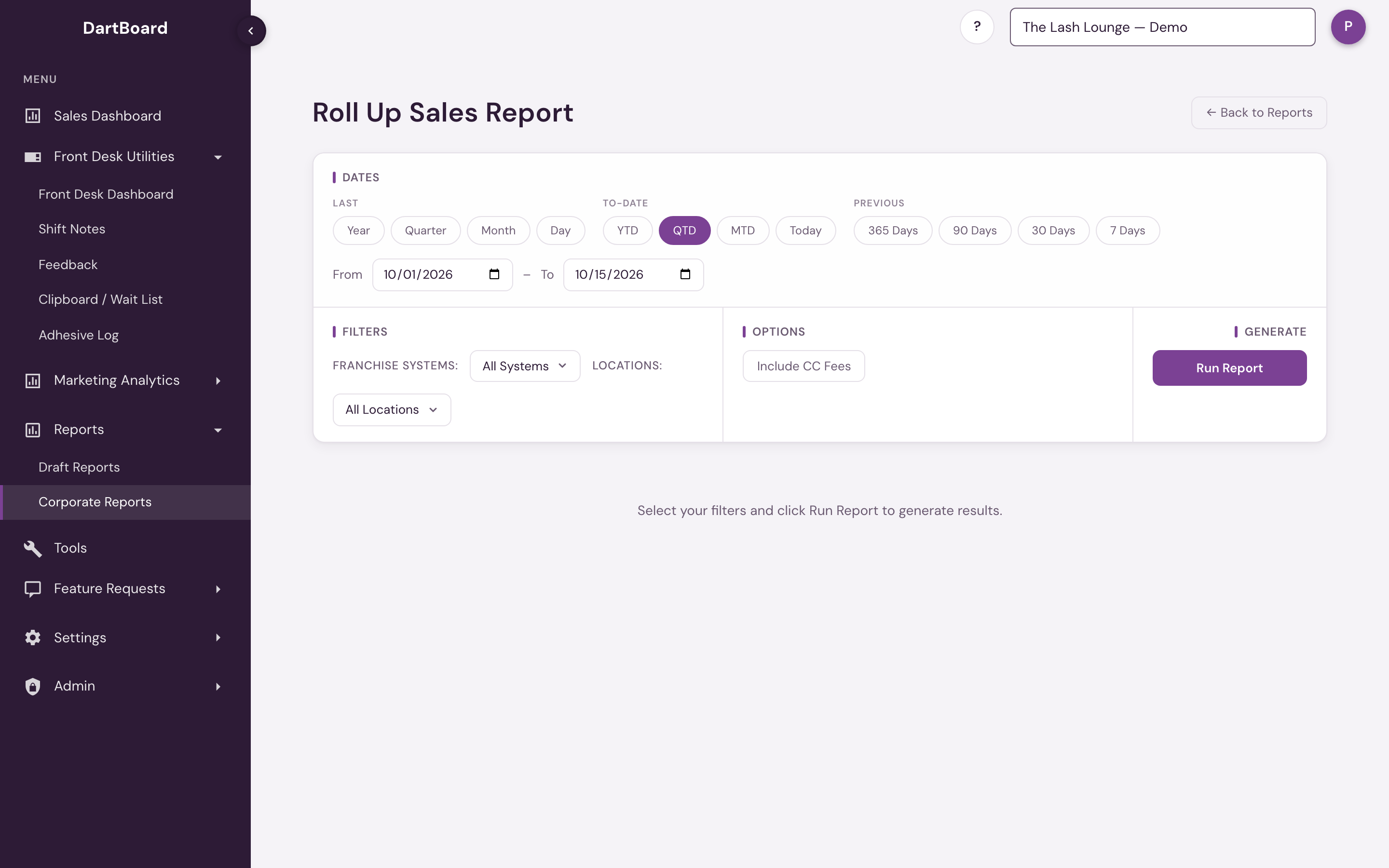
The screenshot shows the report before it's run — pick your filters, then click Run Report to see results.
Running the report
Pick a date range and click Run Report. You can type an exact From/To range or use the quick presets (MTD, YTD, Last Month, Previous 30 Days, and so on) — it defaults to month-to-date.
Filters & Options
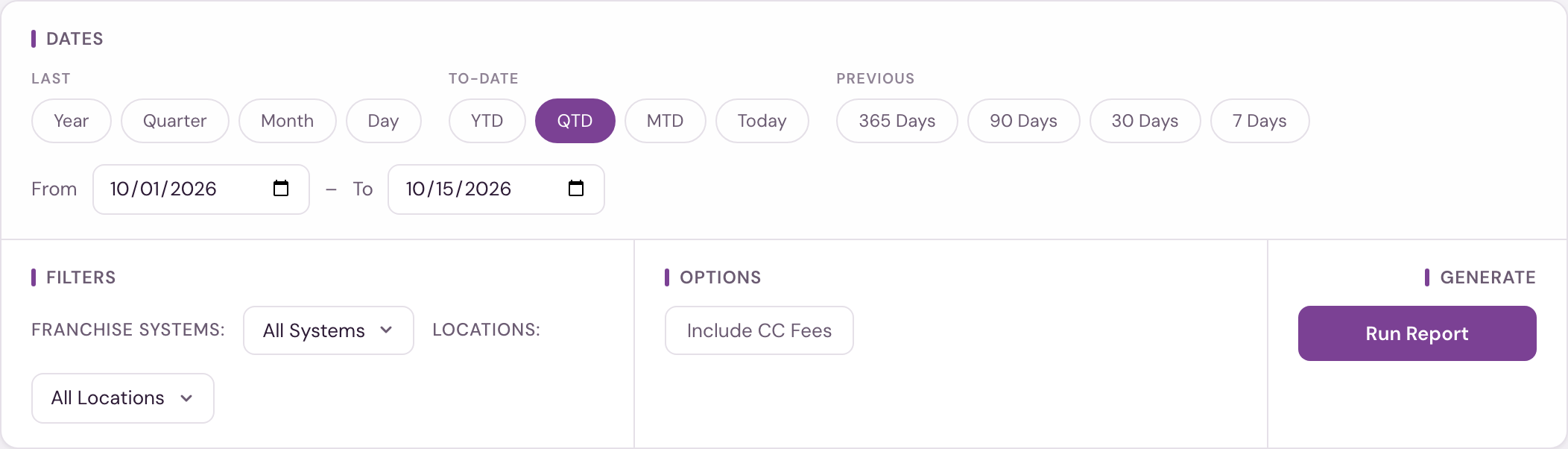
- Franchise Systems — narrow to one or more franchise systems. You can only ever narrow within the systems your account already covers; the filter never widens your access.
- Locations — narrow to one or more specific salons.
- Include CC Fees — off by default. With it off, credit-card fees are subtracted out of Adjusted Sales and the CC Fees column is hidden. Turn it on to see fees broken out separately, added back into Adjusted Sales.
Credit-card fees are currently tracked for The Lash Lounge locations only. Bishops and Frenchies locations show no fees, so Include CC Fees doesn't change their numbers.
Columns
| Column | What it shows |
|---|---|
| # | Row number. |
| POS ID | The location's ID in your booking system. |
| Franchise ID | The location's franchise ID. |
| Location | The salon name. |
| Owner Name | The franchise owner of record. |
| Date Range | The date range the row's totals cover. |
| Adjusted Sales | Adjusted Sales for the range — net of CC fees when Include CC Fees is off; gross of fees (fees added back in) when it's on. |
| CC Fees | Credit-card processing fees for the range. Only shown when Include CC Fees is on. |
The report lists every active location in the systems and locations you picked, plus any closed location that had sales in the date range. An active location with no sales in the range shows $0.00. A closed location appears only for date ranges in which it was still taking in money. This is the same rule as Systemwide Data.
Adjusted Sales counts only money actually taken in. It leaves out staff tips, and it adds nothing when a gift card, membership credit or prepaid package is spent, because that money counted when it was bought. Sales tax is left out. See Collections: money taken in for exactly what's included.
The KPI card above the table shows Total Adjusted Sales across every row currently loaded, following the same Include CC Fees toggle as the table. The table's bottom Total row sums the same columns for the rows on screen. Use the download button above the table to export the results to CSV, or the print button to print them.
Available to corporate and admin users on the Corporate Reports page.