Salon Reports
Salon Reports is one of the areas under Reports in the sidebar (alongside Draft Reports and Corporate Reports). It's the reports home for location leadership.
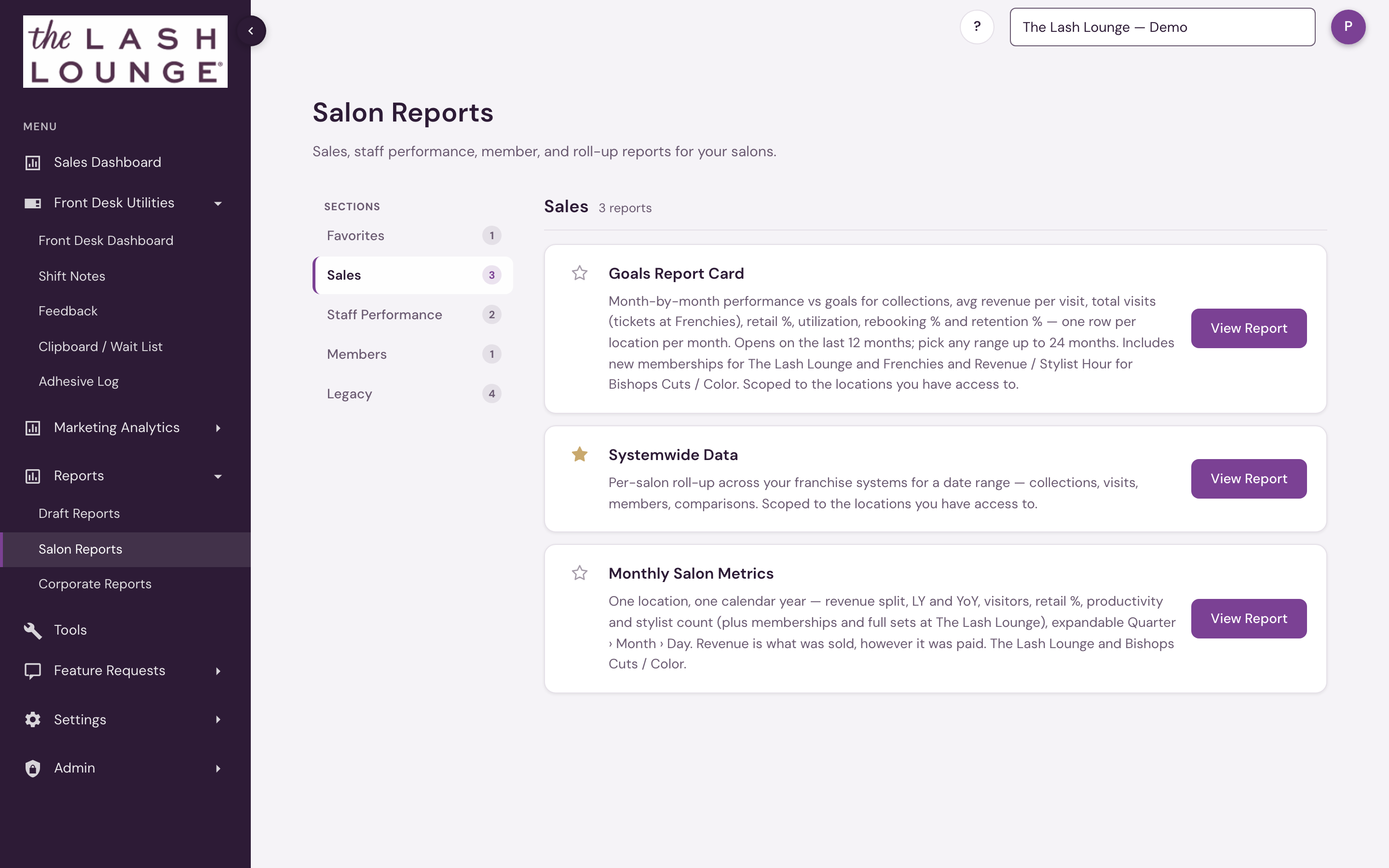
Like Corporate Reports, it's organized into sections. A Sections list on the left switches between them, and each report has a View Report button that opens it with a date range, a location picker, a Run Report button, and CSV export. Star a report to pin it to Favorites for quick access. Sections with no reports for your locations are hidden.
It opens to corporate and admin users, and to anyone with reporting access. A location user sees each of their locations where they have reporting access and Reports is turned on; corporate and admin users can pick any location in the franchise system. The one exception is Systemwide Data, which ranks every location in your franchise system for everyone who can open it. The area appears when a Lash Lounge, Bishops Cuts / Color or Frenchies location is selected, and lists only the reports built for that system. The list always follows the location selected in the header, so a user who covers more than one system sees each system's set on its own locations.
The area is called Shop Reports, in the sidebar and on the page. It lists Goals Report Card, Systemwide Data and Monthly Shop Metrics under Sales and Revenue by Employee and Call Log under Staff Performance — no Members or Legacy section, since Bishops doesn't sell memberships.
The area is called Studio Reports, in the sidebar and on the page. It lists Goals Report Card and Systemwide Data under Sales, Revenue by Employee and Call Log under Staff Performance and the Member Report under Members — no Monthly Salon Metrics and no Legacy section.
Sections
| Section | Report | Available for | What it answers |
|---|---|---|---|
| Sales | Goals Report Card | The Lash Lounge, Bishops Cuts / Color, Frenchies | Month-by-month performance vs the goals you set in Salon goals — collections, average sale, total visits, retail %, utilization and rebooking %, plus new memberships for The Lash Lounge and Frenchies or Revenue / Stylist Hour for Bishops, one grid per location. Opens on the last 12 months; pick any range up to 24 months. |
| Sales | Systemwide Data | The Lash Lounge, Bishops Cuts / Color, Frenchies | One row per salon — collections, visits, and members for a date range. |
| Sales | Monthly Salon Metrics | The Lash Lounge, Bishops Cuts / Color (as Monthly Shop Metrics) | One salon's calendar year on a single grid, expandable from quarter to month to day. |
| Staff Performance | Revenue by Employee | The Lash Lounge, Bishops Cuts / Color, Frenchies | The full per-person sales report for a location and date range — includes front-desk sellers with retail but no service visits. |
| Staff Performance | Call Log | The Lash Lounge, Bishops Cuts / Color, Frenchies | One location's outreach call lists day by day, who was contacted, and every call, text and email staff logged, with reach rates by staff member, queue and channel. |
| Members | Member Report | The Lash Lounge, Frenchies | One row per member for a date range — membership at the start and end of the period, member services completed and scheduled, status, next autopay and lifetime spend, with tiles for Active Members, Suspended, New Members and True Terminations and a full CSV download. |
| Legacy | Package Performance | The Lash Lounge | Per-salon package sales and count for a date range, broken down by package type — plus a Detail view of every guest's package purchases. |
| Legacy | Franchise CCR | The Lash Lounge | Cross-Center Redemption detail for a single location for a date range. |
| Legacy | Gift Card Report | The Lash Lounge | Each salon's gift card revenue against total collections, with a breakdown by item, member status, and date, plus redemptions. |
| Legacy | Lifetime Value of Member | The Lash Lounge | Every client's lifetime with the salon, rolled up into member vs. non-member lifetime value, first-visit cohorts, spend and recency distributions, and a per-salon table. |
Shown when a Lash Lounge, Bishops or Frenchies location is selected (as Shop Reports at Bishops and Studio Reports at Frenchies). Open to corporate and admin users, and to anyone with reporting access — reporting access at a location that has Reports turned on. Salon admin (the Salon Admin permission) is not required. Each location needs both: access at one of your locations doesn't carry over to another. Data is limited to those locations: the location picker only lists them, and the totals only cover them — except Systemwide Data, which shows every location in your franchise system. Favorites are personal to you. Corporate users at Bishops and Frenchies do not see Shop Reports or Studio Reports; location leadership with reporting access still does.