Systemwide Data
Systemwide is one report — one row per salon, with collections, visits, and members for a date range — with two versions at different validation stages.
- Systemwide Data — the released report, covering The Lash Lounge, Bishops Cuts / Color and Frenchies locations.
- Systemwide (Legacy) — the all-systems mirror still in Draft Reports while its cross-system results are validated. It adds a leading Franchise System column and system filter.
Finding them: find Systemwide Data under Reports → Salon Reports → Sales. Platform admins find Systemwide (Legacy) in Draft Reports.
Systemwide (Legacy)
Pick a date range (defaults to month-to-date) and, optionally, one or more Franchise Systems. You can only ever narrow within the systems your account already covers — the filter never widens your access. Click Run Report.
This form carries exactly the columns described below (see Columns), prefixed by a Franchise System column. Cross-system metrics — collections, comparisons, visits, retail, hours, stylists, members, new members — fill in for every system from its own booking data. Lash-Lounge-only metrics (autopay, full sets, terminations, suspensions, SFS conversion) are blank for other systems, and Bishops sells no memberships, so its member columns are blank too — the missing-data banner names the affected columns and why.
The CSV export is named systemwide-all_<start>_to_<end>.csv.
Systemwide Data
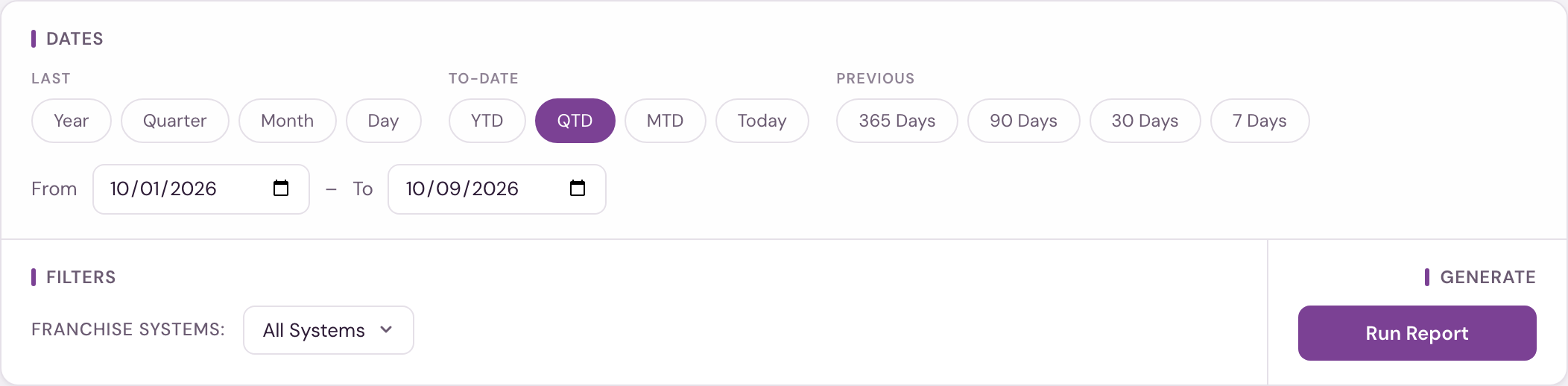
Pick a date range (defaults to month-to-date) and click Run Report — there's no location filter here; the report returns every active salon in your franchise system, plus any closed salon that had collections in the date range you picked. Unlike the other Salon Reports, this one is not limited to your own locations: a Lash Lounge user sees every Lash Lounge location, ranked together. It never crosses into another franchise system. A closed or cancelled location appears, and holds a Collections Rank position, only for date ranges in which it was still taking in money; for any later range it is left out. A Franchise Systems filter appears only when your account covers more than one system. This form covers The Lash Lounge, Bishops Cuts / Color and Frenchies locations.
Columns
| Column | What it shows |
|---|---|
| Location, City, State, Owner Name, Franchise ID | The salon's name, location, franchise owner of record, and franchise ID. |
| Collections Rank, Collections, LY Collections, YoY $, YoY %, LM Collections, MoM $, MoM % | Collections (money taken in) for the range you picked, and where the salon ranks on it within its franchise system. Locations with equal collections share a rank. LY compares the same dates one year earlier; LM compares the same dates one month earlier. Dollar and percent change appear whenever there's a comparison figure to show. |
| Retail Revenue, Retail %, Retail Clients, Retail Purchase % | Retail revenue for the range (retail sold, however it was paid, including gift card and account credit, excluding tax; it is not a slice of the Collections column); Retail % (retail sales ÷ service sales, however they were paid, the same figure as the Sales Dashboard); count of clients who bought retail, and the share of unique visitors who purchased retail. |
| Autopays Remaining | Membership autopays still scheduled to run this month, from tomorrow (the salon's own date) through the last day of the month, whatever dates you pick. It's the same figure as the Sales Dashboard's Autopays Remaining tile. Only autopays on a live membership count: charges left on the schedule after a membership was cancelled, frozen, or had autopay switched off are excluded, because they won't collect. Autopays that already ran early are excluded too, since they're already in Collections. On the last day of the month it reads $0. |
| First-Time Guests | Clients whose first-ever visit to the salon fell in your range, counted on the day of that visit. A client who only booked, cancelled or no-showed before does not count as a returning guest. The same figure as New Clients on Monthly Salon Metrics and the point of sale's First Visit Report. For Bishops and Frenchies, records start when the location went live on its current point of sale, so in that first year returning guests count as new. |
| Unique Visitors, Visits, Avg Revenue per Visit | Distinct clients visiting in the range, completed visits counted as guest-days (a guest counts once per day), and Avg Revenue per Visit: the services and retail sold on those dates, before tax, divided by Visits. For Frenchies studios the column is Avg Ticket, divided by tickets, the figure on the studio's Sales Dashboard. It uses what was sold rather than the Collections column, so a visit paid with membership credit, a gift card or a package counts at its full value. The same Avg Revenue per Visit as Monthly Salon Metrics. |
| Starter Full Sets | Clients whose first-ever full set at the salon fell in the range and was paid more than $89, whatever it was booked as. A client who came in before for a lift, tint or anything else counts on their first full set, and so does a member. Each client counts once, and the figure matches Monthly Salon Metrics. See Full Sets & Starter Full Sets. |
| Total Full Sets | Paying full sets (at least $1) in the range for clients who weren't members at any point in the 30 days before, first-time or not. Free sets, consultations, redos and add-ons don't count, and neither do cancelled, missed and training visits. See what counts as a full set. |
| New Members | Clients who became membersA client who became a member during the range: a membership started, was still running at the end of the range, and the client had no membership that ended in the 12 months before.Full definition → during the range: a membership started for them, it was still running at the end of the range, and they had no membership that ended in the 12 months before. A membership cancelled in the month it started, or before it started, is not counted. See what counts as a new member. |
| Active Members | How many members were paying at the end of your range — the same definition as Monthly Salon Metrics. For a past month, it's the members who paid dues in the month your range ends in (a payment of more than $0), were not on hold on the last day of that month, and on that day held a membership or were between memberships with the next one already signed. A member who paid and then went on hold later in the month is counted under Suspended for that month, not here, so nobody is in both columns. For a range ending in the current month, it's the members who are Active today, including a member who has given notice and hasn't reached their termination date, and a member between memberships with the next one already signed. Frenchies counts differently — see the note below the table. Suspended and frozen members are not included here (The Lash Lounge's have their own column). Stays blank for months before the salon's history begins, rather than showing a zero. These figures match the Sales Dashboard's Active Members tile for the same end date. |
| True Terms | Members whose membership ended during the range and who did not continue. A member who switches plans or re-signs within 31 days is not counted. A membership that reaches its end date with nothing after it is counted. See True Terminations. |
| Suspended | How many members were on hold at the end of your range, by the same Suspended rule as the Sales Dashboard. A pause with an end date counts through that date. A pause with no end date counts for 180 days from the day it began, and after that only while an autopay is scheduled in the following 180 days, so a suspension abandoned years ago is not counted. A paused membership with a termination date counts until the day before that date. A membership on hold that has passed its end date is Expired and is not counted either. For a range ending in the current month it is read as of today, like Active Members, and a member who is Active is not also counted here. Works for past ranges as well as today. At Frenchies studios it counts memberships that are frozen at the end of your range, by the Frenchies rule; a membership suspended for a failed payment is not counted. |
| Future Mbr Appts | Appointments your Active members have booked from the day after your range end onwards. These are the same members Active Members counts, so a suspended or declined member's bookings are not included. Cancellations are respected, so an appointment that was later cancelled doesn't count. Only fills in when your range ends today. |
| Net Mbr Change | New Members minus True Terms minus new suspensions (members who put their membership on hold during the range and were still on hold at its end), plus members returned from pause — the same formula as the Sales Dashboard, Front Desk and the End-of-Day Summary. A True Term of a member who was already on hold when the range began is not subtracted, because their pause already was; it still counts in True Terms. If New Members or True Terms is unavailable, this stays blank rather than treating the missing one as zero. Frenchies is measured differently — see the note below the table. |
| Retention % | Of the members you had going into the month your range starts in (the prior month's Active Members), the share who didn't end their membership during the range. Blank for months before the salon's billing history begins. |
| Rev / Stylist Hr, Collections / Station | Rev / Stylist Hr is the services and retail sold on those dates, before tax, divided by the location's stylists' clocked hours. It uses what was sold rather than the Collections column, so the hours are compared with the work done in them. Collections / Station is the Collections column divided by the number of stations. The same Revenue / Stylist Hour as Monthly Salon Metrics and the Sales Dashboard. |
| New Mbrs from SFS | Starter Full Set clients from the range who also became new members in the range. |
| SFS Mbr Conv % | New Mbrs from SFS as a share of Starter Full Sets — how often a starter set turns into a membership. |
| Soft Open, Months, Tier, Stations, Stylists | The salon's soft-open date, months in business through your selected end date, price tier, number of stations (from salon settings), and stylist count: service providers employed at the end of the range. Front desk staff are not stylists. Price Tier isn't filled in yet, so it stays blank. |
| FBC, FAC Region | The salon's assigned FBC and FAC. |
Soft Open is the shop's opening date, and Months counts the full months from that date to the end of your range. Both are blank for a shop with no opening date on file, and Months is blank when your range ends before the shop opened.
Bishops sells no memberships, so the member columns stay blank. Several services booked together count as one visit, and cancellations, no-shows, voided or unfinished appointments and add-ons don't count.
Active Members is the memberships active at the end of your range — a guest holding two active memberships counts twice, and a membership that's been bought but hasn't started yet counts, matching Frenchies' own KPI report. Any past range works. New Members counts memberships sold on a ticket dated in your range, matching # New Memberships Sold in Zenoti's Business KPI report; a returning guest who buys again counts. Net Mbr Change is the change in Active Members itself: Active Members at the end of your range minus Active Members at the end of the day before it starts. It is not New Members minus True Terms minus suspensions, because a membership sold is not always a new member. Rev / Stylist Hr divides by every paid staff member's clocked hours, with overlapping clock-ins counted once. As at Bishops, several services booked together count as one visit.
Where a value isn't available it stays blank — the report never turns missing data into a zero.
The CSV export is named systemwide-data_<start>_to_<end>.csv.
Rev / Stylist Hr needs staff hours. When a period reaches back before the shop's schedule or time-clock records begin, the figure shows a dash. Collections and visits are still shown.
Systemwide Data lives in Salon Reports → Sales, which opens to corporate and admin users, and anyone with reporting access at a location that has Reports turned on. Everyone sees their whole franchise system — this is the one Salon Report that is not limited to your own locations — but never another system. Systemwide (Legacy) remains in admin-only Draft Reports while its cross-system results are validated.