Multi-Unit Owners
Multi-Unit Owners (Settings → Corporate Settings → Franchise Management → Multi-Unit Owners; the card under Admin Tools opens the same tool) is where a franchise's ownership structure is mapped: which salons each franchisee owns. Multi-unit owners apply to every franchise system. They decide which salons roll up under each owner on Franchise Performance and Budget vs Actual.
 1
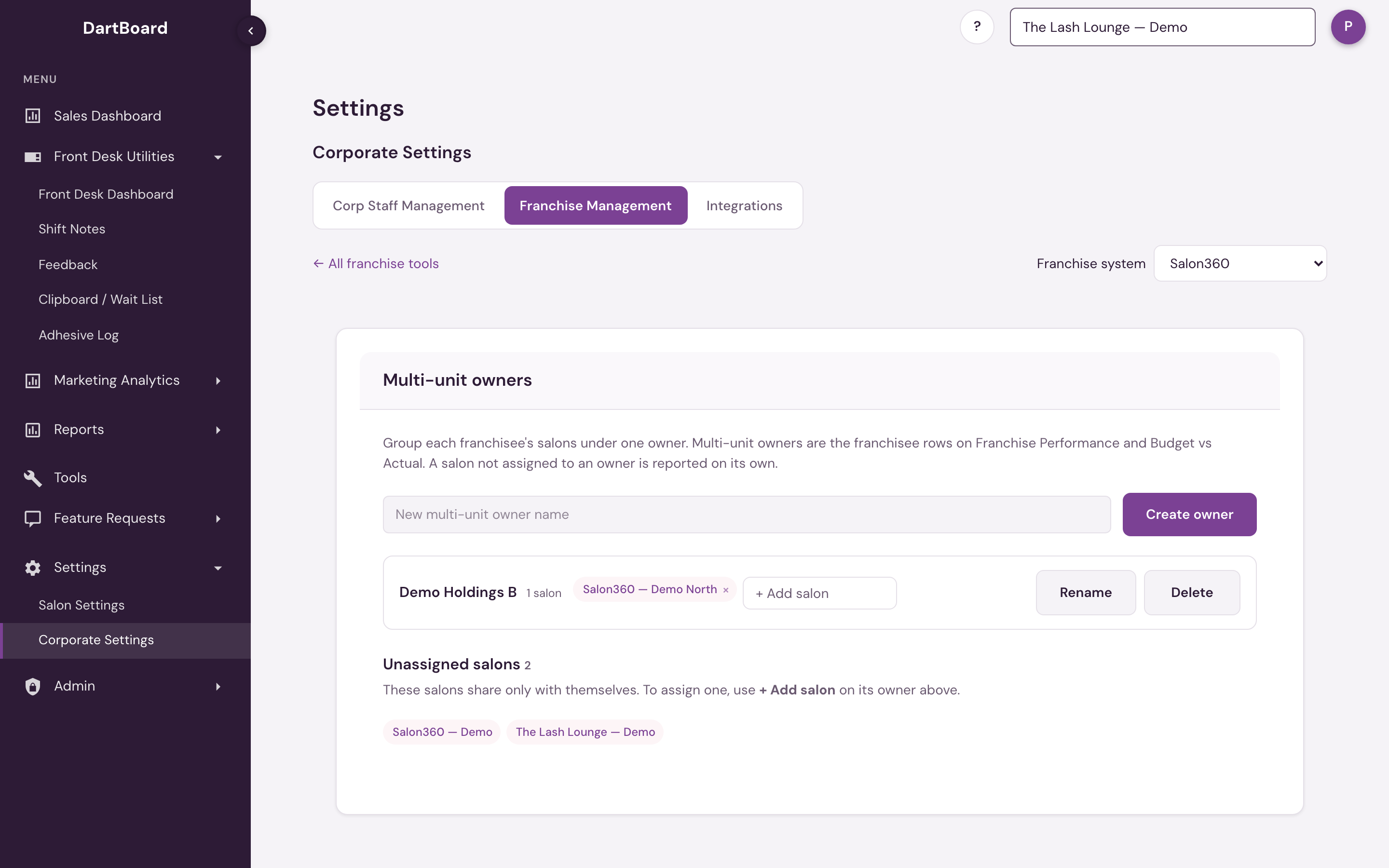
Multi-unit owners
A franchise system is made of individual salons, and those salons are usually run by a handful of franchisees who each own several locations. Multi-unit owners make that real: pick a franchisee, group their salons under one label, and the reports treat "a franchisee's own salons" as one owner.
For the selected franchise system, the page shows:
- Multi-unit owners — one card per franchisee, with the salons assigned to it.
- Unassigned salons — salons that aren't assigned to an owner yet. An unassigned salon is reported on its own until you assign it.
Everything is edited on the owner cards:
- Create owner — type the owner's name at the top and click Create owner.
- Add a salon — click + Add salon on the owner's card, start typing the salon's name, and pick it. It saves immediately. Only unassigned salons are listed.
- Remove a salon — click the × on its chip. The salon returns to Unassigned salons.
- Rename and Delete the owner (delete is a two-step confirm — a deleted owner's salons simply become unassigned again, nothing is lost).
A salon belongs to exactly one multi-unit owner at a time. A salon that already has an owner can't be added to another owner until it's removed from its current one.
When an owner buys a salon, first click the × on the salon's chip in the seller's card, so it becomes unassigned. Then open the buyer's card, click + Add salon, and pick it. If the buyer isn't set up as an owner yet, create one first. Ownership isn't dated: after the move, the salon's full history — including sales from before the purchase — rolls up under the new owner on Franchise Performance and Budget vs Actual.
Changes take effect within about a minute
There's nothing else to do after saving: a multi-unit owner change shows up everywhere within about a minute.
Available to corporate admins (for their own franchise system) and platform admins (every system). Opened from the Franchise Management tool menu; the old Admin Tools location forwards here.