Meta Lead Ads
The Meta Lead Ads page (Settings → Corporate Settings → Integrations → Meta Lead Ads) shows, for every salon, whether the leads people submit in a Facebook or Instagram lead-form ad are reaching DART, and is where a salon's Facebook page is connected.
Lead-form leads reach DART only through the salon's connected Facebook page. A salon can run lead-form ads on Facebook with no page connected in DART, and its leads never arrive. The page starts with connecting pages; the salon list under it shows those salons first.
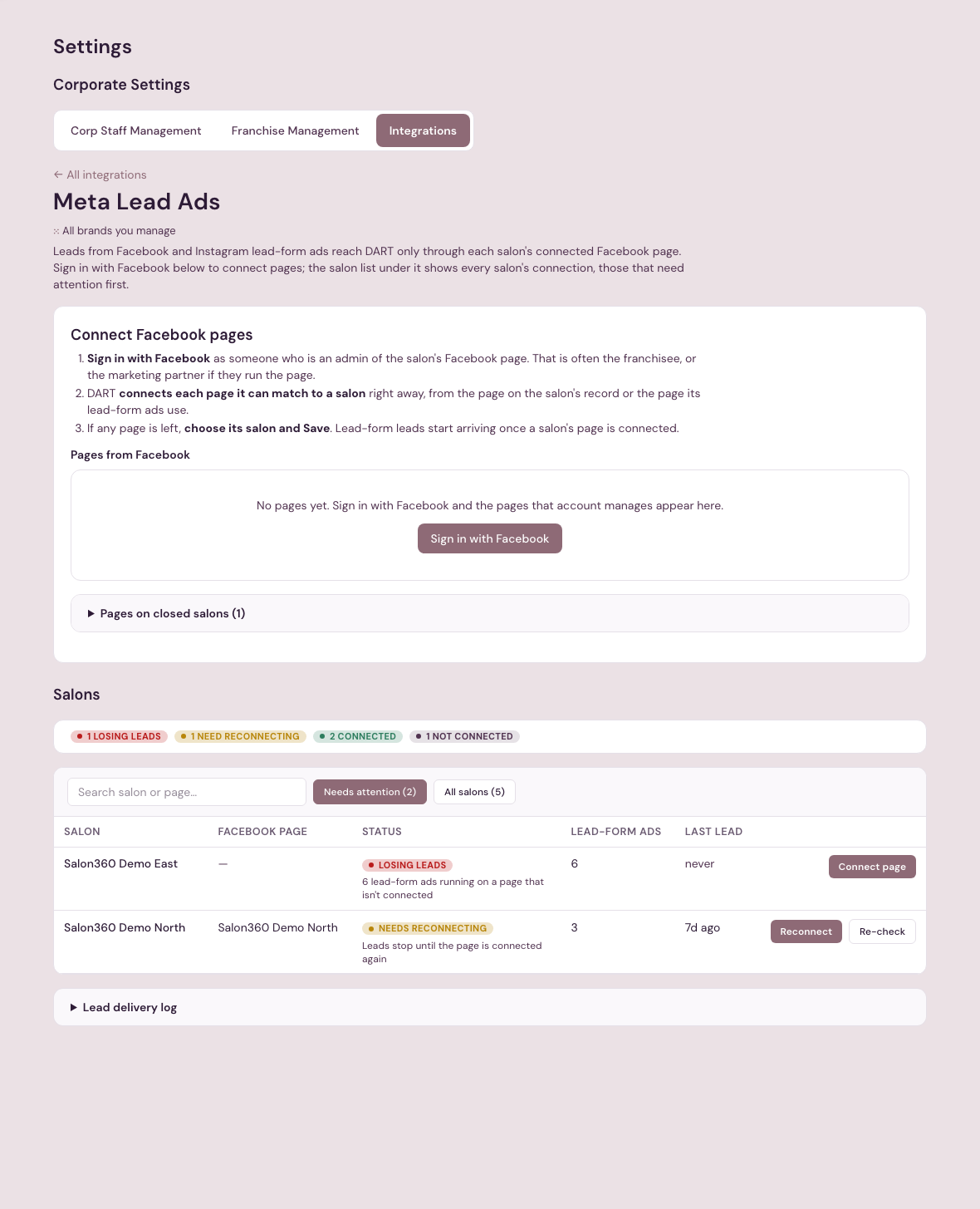
Connect Facebook pages
- Sign in with Facebook as someone who is an admin of the salon's Facebook page. That is often the franchisee, or the marketing partner if they run the page.
- DART connects each page it can match to one salon right away: the page on the salon's record, or the page its lead-form ads use. A line above the list says which salons it is connecting, then which were connected once that finishes.
- If any page is left (no salon matches it, more than one does, two pages match the same salon, or it is connected to a different salon), choose its salon and Save. A salon has one Facebook page in DART, so where two pages match one salon, choose the one its lead-form ads run on.
Lead-form leads start arriving once a salon's page is connected, and the salon list updates. A page already connected to a different salon is never moved on its own.
Signing in again also renews the connection for every page that person manages, which is how a page that Needs reconnecting is fixed.
Salons
One row per salon:
- Facebook page — the page connected for the salon, or a dash when none is.
- Status:
- Losing leads — lead-form ads are running on a page that isn't connected, so their leads don't reach DART. The row says how many ads.
- Needs reconnecting — the salon's page was connected, but Facebook no longer lets DART receive its leads. Leads stop until the page is connected again.
- Not connected — no page is connected and no lead-form ads are running.
- Connected — leads arrive. This includes a salon whose lead-form ads run on another salon's connected page.
- Lead-form ads — how many of the salon's lead-form ads are running.
- Last lead — when the last lead-form lead arrived, or never.
The list opens on Needs attention (Losing leads and Needs reconnecting) when any salon needs it, and on All salons otherwise. Search by salon or page name.
On each row, Connect page or Reconnect takes you to Connect Facebook pages at the top. Re-check asks Facebook about that page right away and updates the row.
When a salon's page breaks or its lead-form leads aren't arriving, platform administrators are told by email, and the salon's Marketing Health page shows Meta lead forms isn't connected or isn't updating for that salon.
The Meta Lead Ads page is corporate/platform-admin only. Platform admins also see the lead delivery log and the pages still connected to closed salons.